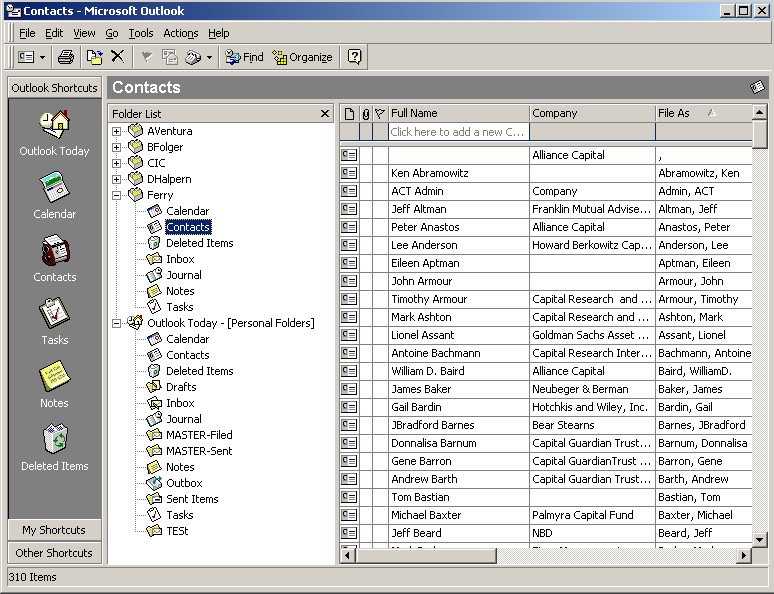
Get in to Microsoft Outlook
Select the Contacts tab
Select Tools
Forms
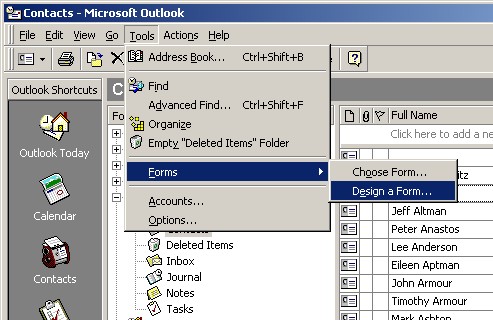
Select Contact form
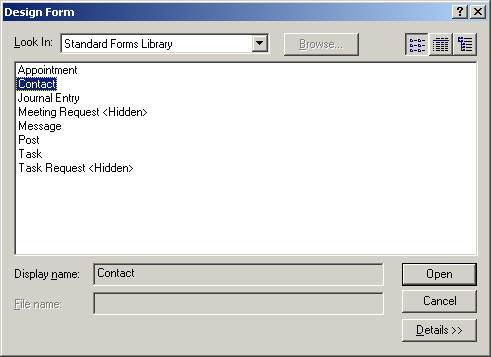
Design the form
You can use the Field Chooser
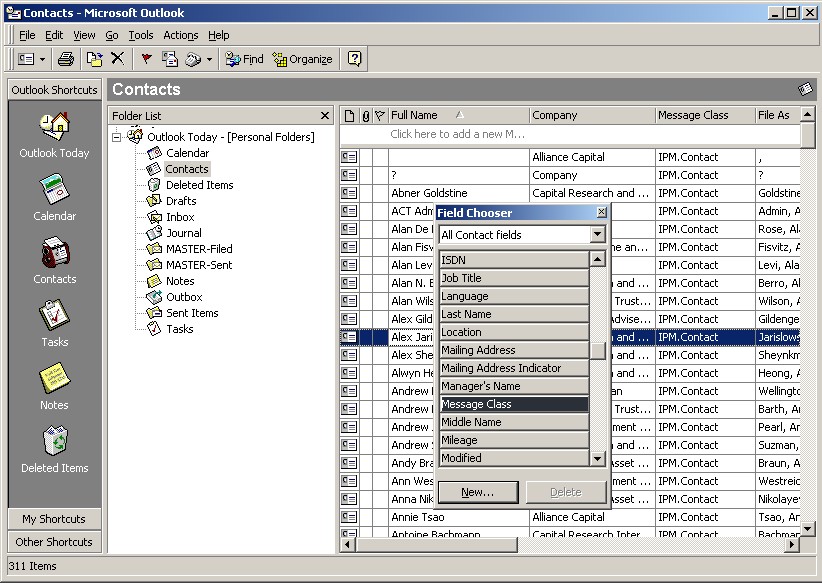
You can customize the form as you wish.
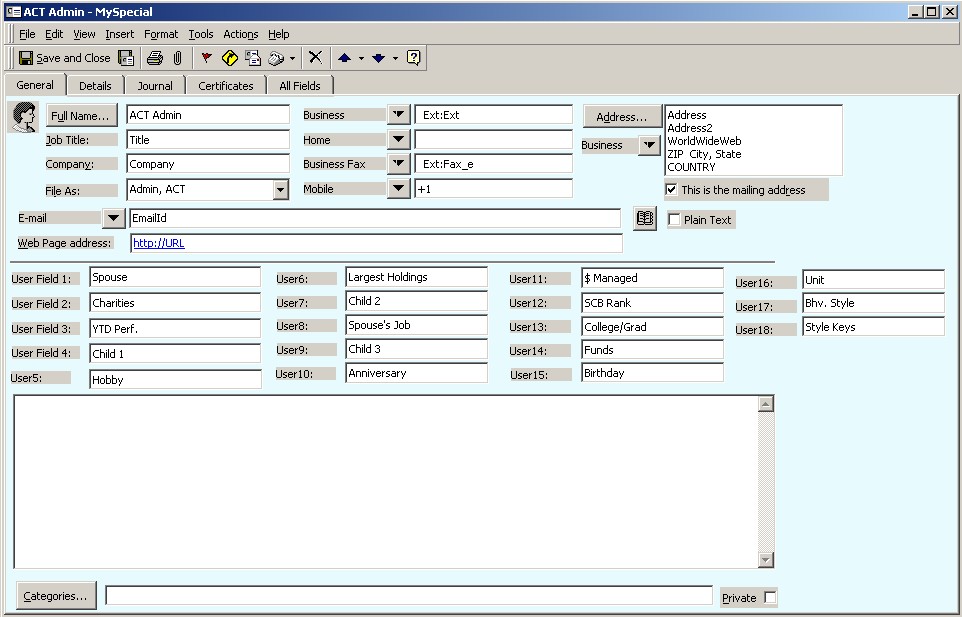
Design the form using blank entries in all the fields, except for default values you may wish to have.
File
Save As...
Enter a unique name, such as "MySpecial.Oft"
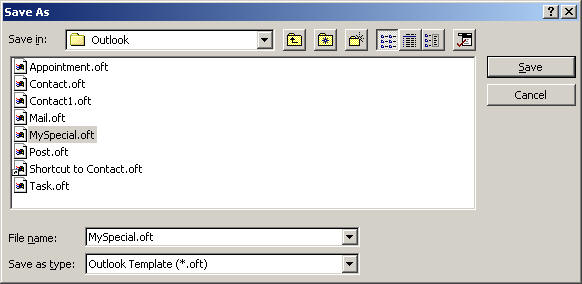
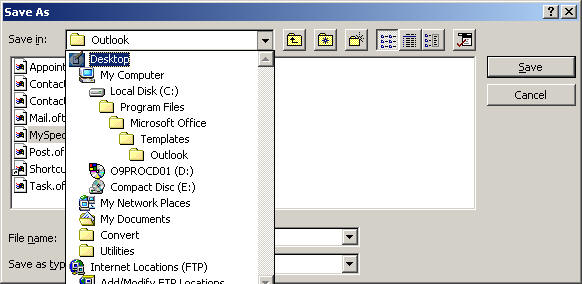
This will be in a folder such as "C:\Program Files\Microsoft Office\Templates\Outlook"
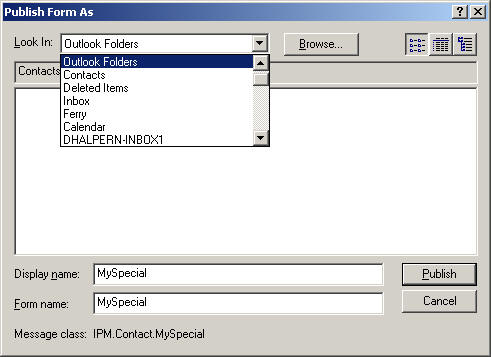
Also, perhaps more importantly, Publish the form, so it can be visible
within this PST file.
Tools
Forms
Publish Form
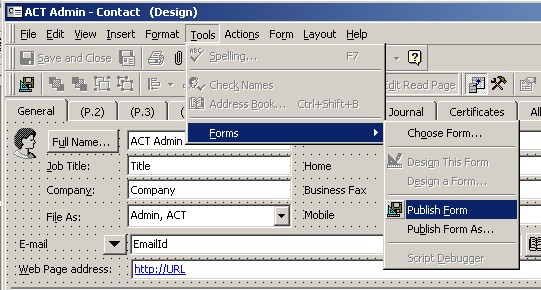
Save it with a name, such as the same one in Outlook Folders
Save and Close the form
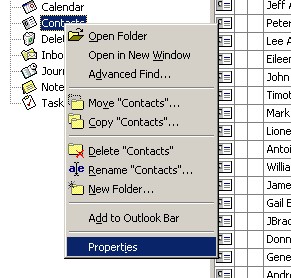
Select your form from the list: "When posting to this folder, use:"
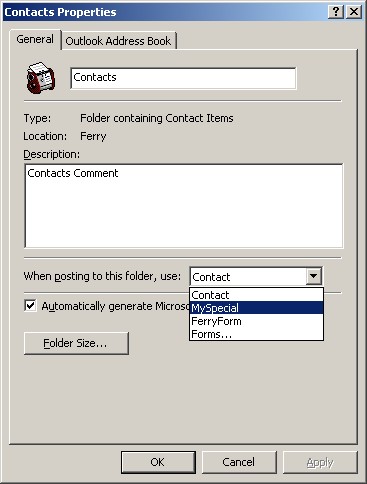
This takes care of any New contacts you create.
Popups use semicolons or cmmas
Now, to change the default form for the other existing records.
https://support.office.com/en-us/article/keyboard-shortcuts-for-outlook...basicnav - keyboard shortcuts for basic navigation
TIP: Outlook Contacts keyboard shortcut for Next Record = Ctrl+Shift+. (period) Previous Record = Ctl+Shift+, (comma)
http://support.microsoft.com/?kbid=249199
OL2000: How to Update Existing Items to Use a New Custom Form
OL2000: Word Document to Change Message Class of Outlook Items
 Download
Omsgclas.exe now to allow changes to the default form for existing items.
(Contact
us if Microsoft does not offer this.)
Download
Omsgclas.exe now to allow changes to the default form for existing items.
(Contact
us if Microsoft does not offer this.)